

Component Design Settings
Learn about the differences between default, bold and elegant styles.

In addition to component-specific settings, there are few settings that are available on most components.
In order to maintain accuracy in this course over time, we are not recording the background and style options that are currently available for each component within this course. Refer to the documentation on aggieux.tamu.edu for each component to see what background and style options are available.
Background Options
Aggie UX components often have background options that can be changed. Available backgrounds depend on which component you are using and on which template.
Using Backgrounds
Background options are available for components such as standard card groups or link list collections.
On pages that don’t have a sidebar, most components have the following options:
- None
- Divider
- Light Gray
- Maroon
- Charcoal
When a component is used on a page with a sidebar, the background options are typically limited to “none/white” or “divider,” which includes a divider above the component.
Refer to the documentation on aggieux.tamu.edu for each component to see what background options are available.
Section Styles
Aggie UX uses section styles to incorporate some visual variety. These predefined styles ensure all websites are brand compliant while providing ways to give individual sites their own personality and ways to emphasize different pieces of content. Different style families typically consist of different fonts for headings and design elements.
It is best to limit use of styles to one or two styles on a given site. We recommend these site-wide pairings:
- Default only
- Default + Bold
- Default + Elegant
Most (but not all) components have variations in each of the three Aggie UX styles: default, bold and elegant.
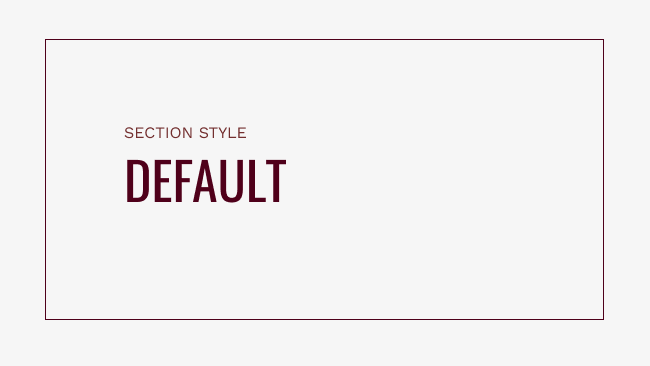
Default
The default style should be used the most often and is always available to use within a site and component. It typically uses the fonts Oswald and Open Sans and has less design embellishments than other styles.
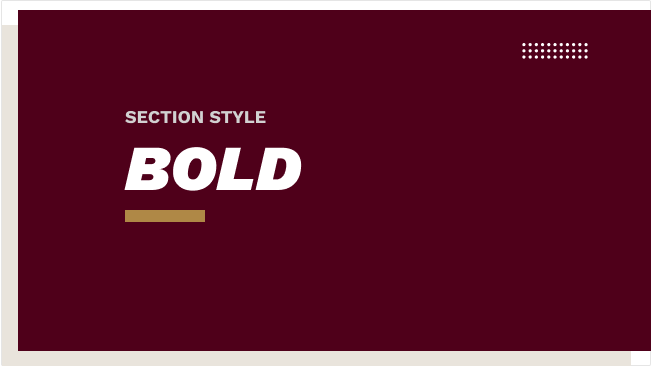
Bold
The bold style is designed to be eye-catching. It works really well on athletic and student-oriented websites. It typically uses the font Work Sans and design elements such as dot grids and small, rectangular dividers with headings.
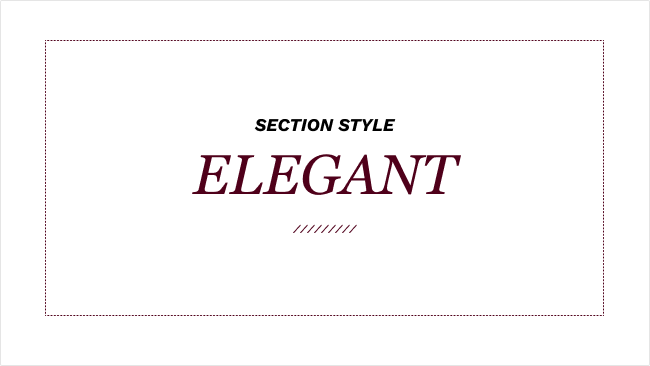
Elegant
The elegant style is designed to look refined and stately. It works really well on administrative and research-oriented websites. It typically uses the font Georgia and design elements such as a hash pattern and dotted borders.
Keep Learning
Learn about Accessibility and Branding in Aggie UX in Aggie UX 101 Module 1 Chapter 4.