

Headings
Get practical tips about writing hierarchical headings for digital content.

Headings mean something specific when talking about digital content. There are six hierarchical levels of headings (H1, H2, H3, H4, H5 and H6). When writing your content, it is important to use headings to organize your content to make it easier for readers (both sighted and those using assistive technologies) to understand what is being said and skip sections that are irrelevant to them.
WCAG outlines the importance of using descriptive language for headings. This doesn’t mean they have to be long — just that they should provide context.
Learn more about 2.4.6 Headings and Labels (Level AA)
Hierarchically Nested Headings
The levels of headings (H1 through H6) have a hierarchical relationship.
Any given page should have at least one heading — an H1 — that acts as the “page name.”
Any additional organization of content from that point would be nested underneath H2 headings. If further hierarchy is needed within a section, you would go down to the H3 level, and so on and so forth.
It can be helpful to think of headings like a page outline.
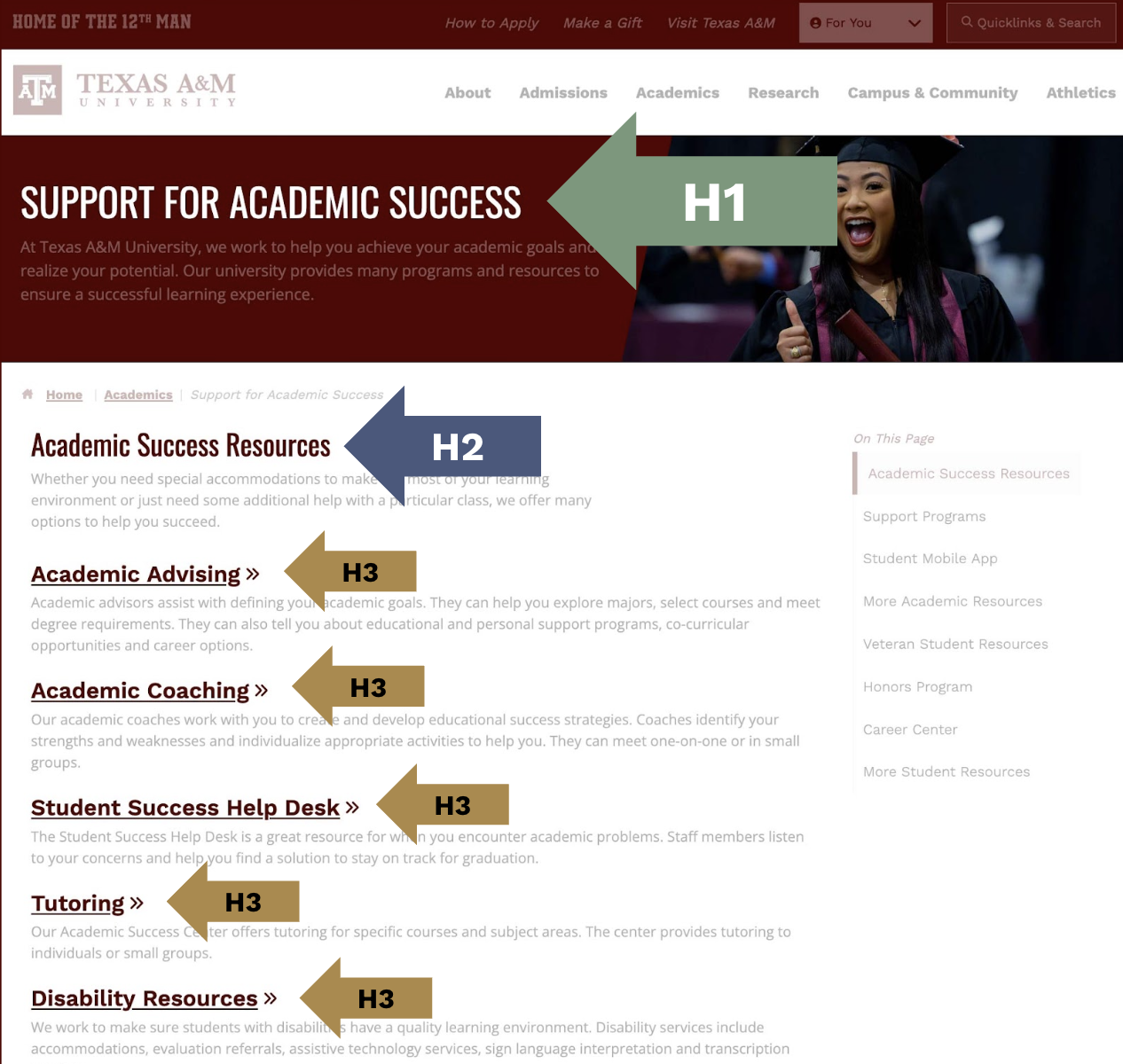
Example of Nesting Headings
Incorrectly Nested
- Heading 1
- Heading 3
-
- Heading 3
- Heading 2
- Heading 3
- Heading 3
Correctly Nested
- Heading 1
- Heading 2
- Heading 3
- Heading 2
- Heading 3
- Heading 3
- Heading 2
Practical Tips for Headings
- Make sure every page has at least one heading
- Avoid duplicate headings on the same page
- Organize headings hierarchically
- Make sure headings are nested appropriately
- Don’t skip any levels
- Treat the headings like your page outline
- Watch out for empty headings (heading tags with no words inside them), especially in WYSIWYG editors