

Cards & Card Groups
Learn about cards and card groups, the most versatile, modular component in Aggie UX.

Cards are the most versatile, modular component in Aggie UX. Card groups are often used on an index page to provide brief “teasers” of the content that’s in the same folder.
View more card groups documentations
Card Options
Cards always consist of at least a heading and a description. Cards are extremely versatile because they can have three different types of media (none, an icon, or an image) and five different types of calls to action (none, linked heading, button, link/link list, and linked card).
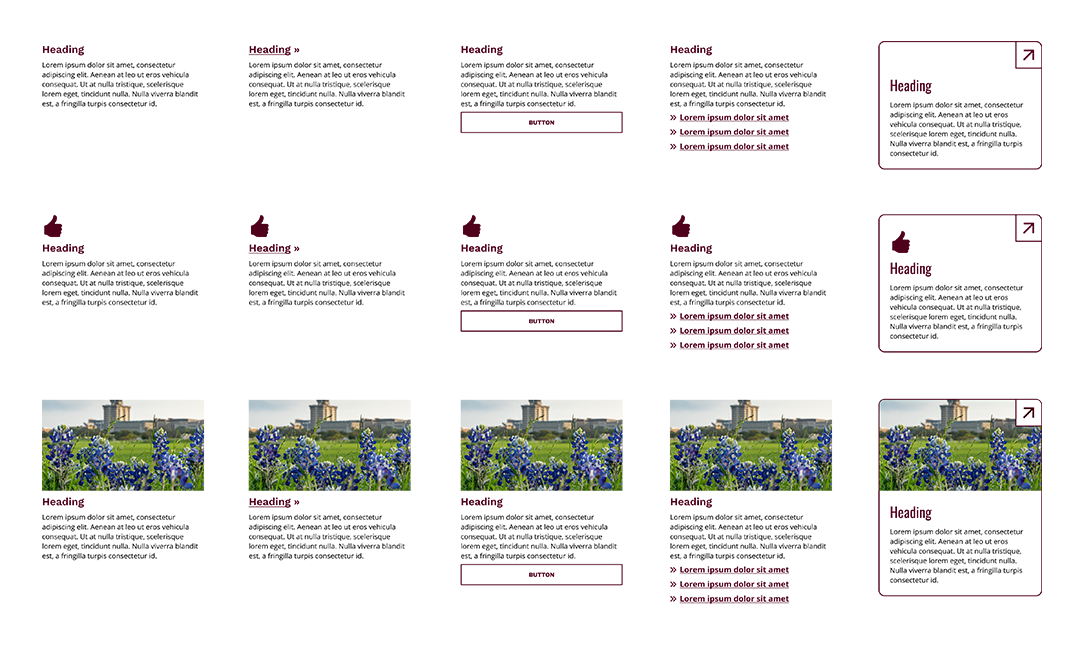
Card Group Layout Options
When cards are put together in a group, they become card groups. All cards within a card group must share the same type of media and calls to action (CTAs).
Card Groups
A card group is a collection of modular cards. Cards can be contextualized with an optional overarching heading and description in a section intro. There are two main layout differences in a card group: standard or inline.
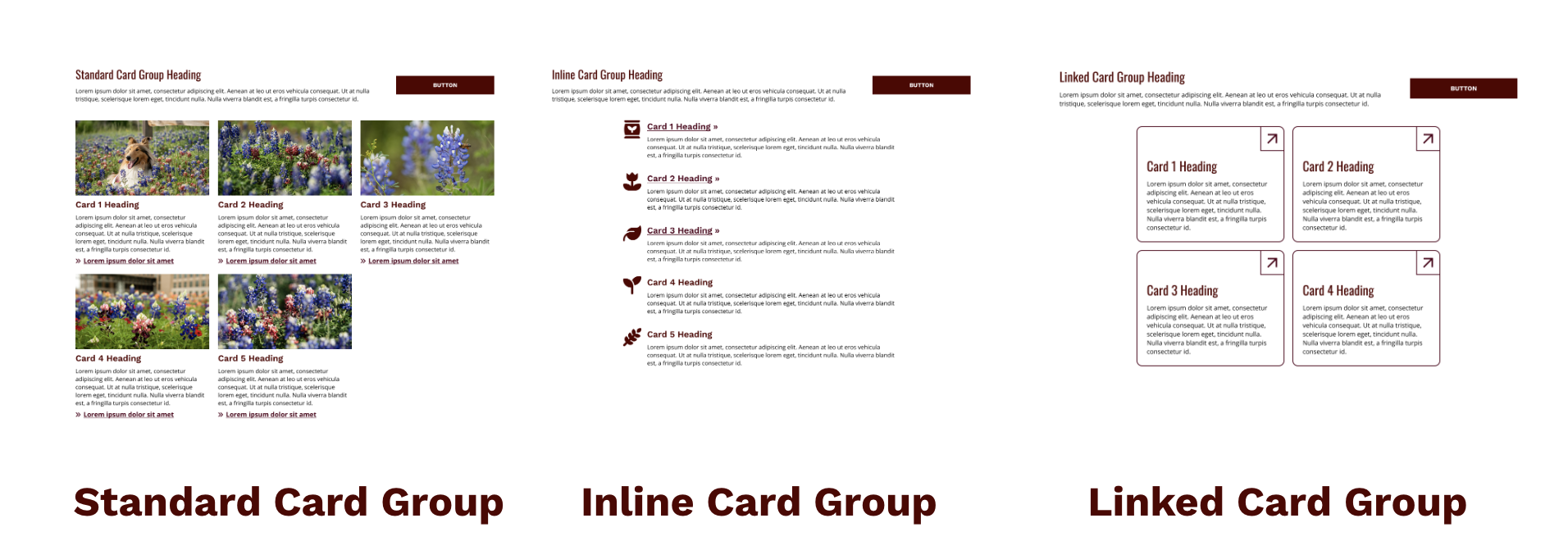
- Standard Card Group: A standard card group is a collection of vertically oriented, modular cards.
- Inline Card Group: An inline card group is a collection of horizontally oriented, modular cards.
- Linked Card Group: A linked card group behaves the same way as a standard card group and is made of vertically oriented linked cards.
Featured Card Groups
A featured card group is a collection of modular cards with one card featured in a visually prominent way. Cards can be contextualized with an optional overarching heading and description in a section intro.
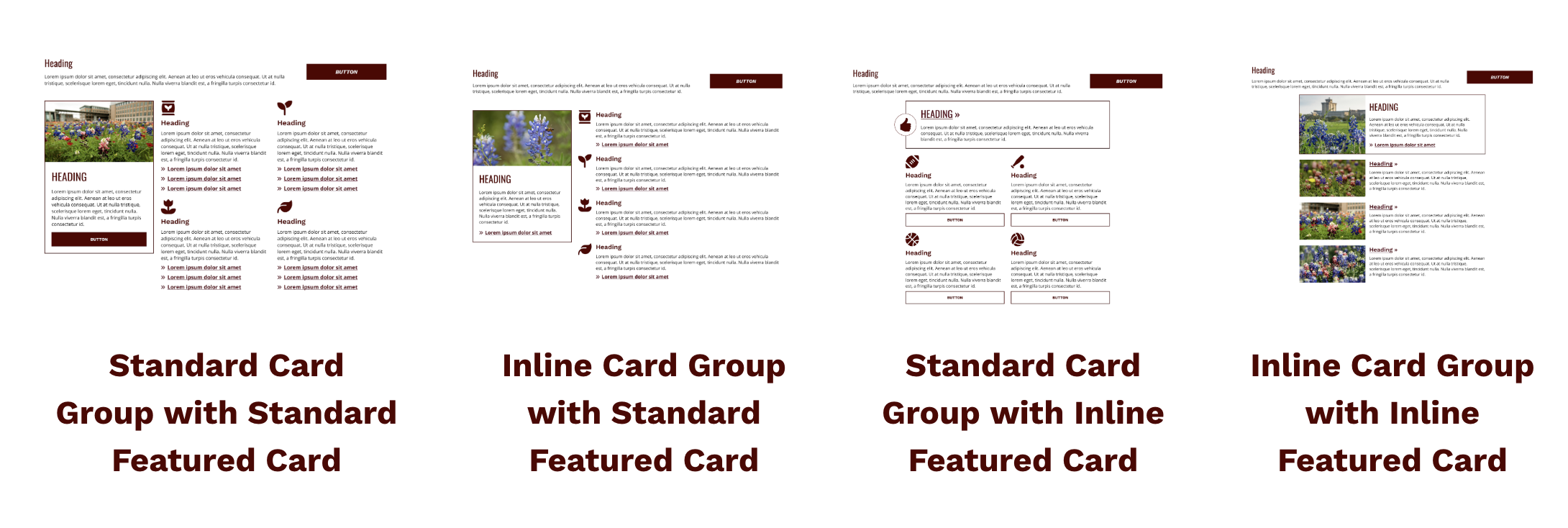
Featured cards are meant to draw attention to one piece of content in a card group. As such, they are allowed to use a different media option and CTA style than the rest of the cards in the card group. This creates four new layout combinations:
- Standard Card Group with Standard Featured Card: This component’s featured card is vertically oriented, with the other cards also having a vertical orientation.
- Standard Card Group with Inline Featured Card: This component’s featured card is horizontally oriented, with the other cards having a vertical orientation.
- Inline Card Group with Inline Featured Card: This component’s featured card is horizontally oriented, with the other cards also having a horizontal orientation.
- Inline Card Group with Standard Featured Card: This component’s featured card is vertically oriented, with the other cards having a horizontal orientation.