

Page Headers
Learn about page headers, which display on every page directly beneath the navigation.

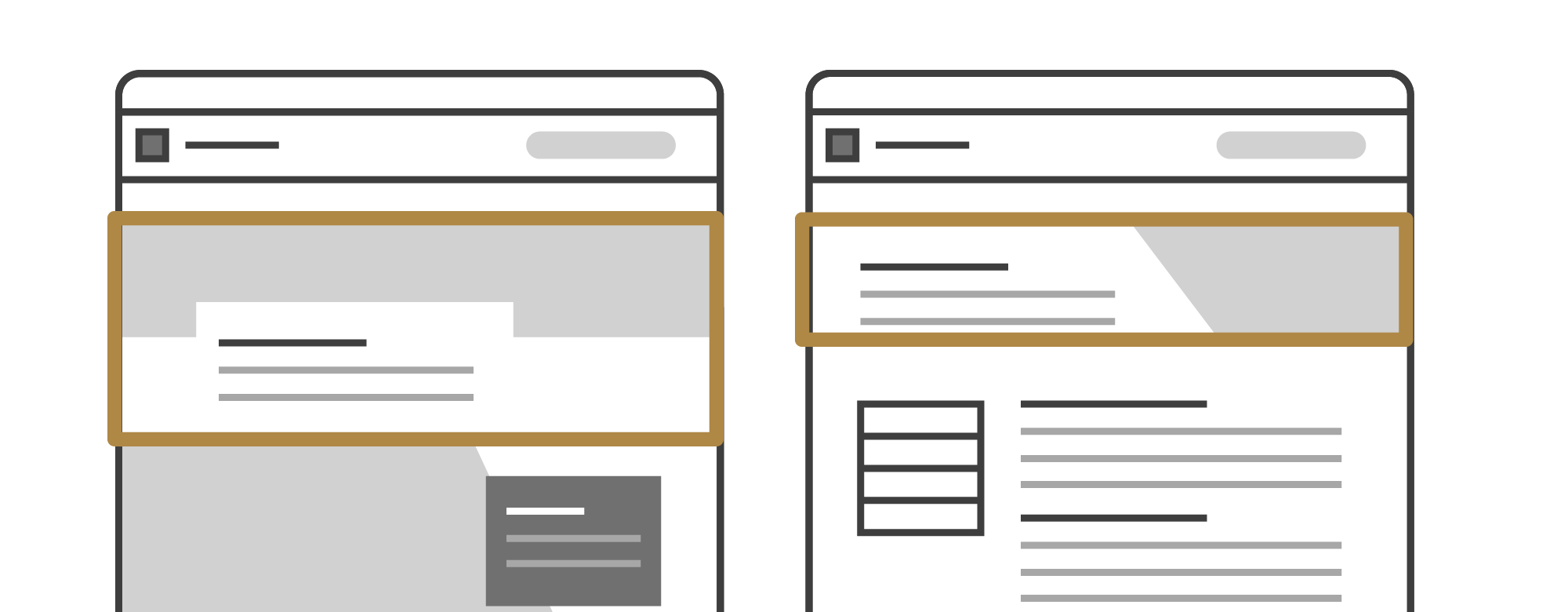
Every page must have a page header directly beneath the navigation.
A page header at minimum contains a page’s primary heading — the <h1>. Page headers can also include page descriptions, calls to action (CTAs), an image, and in the case of standard page headers, a freestanding fact. Specialized page headers have additional options.
Page Header Types
Standard Page Header
Standard page headers are the most flexible page header option. You must have an <h1> heading, but can also optionally have a page description, 1-2 CTAs, and an image or standalone fact. Standard page headers also are available in all styles (default, bold, and elegant) and with different background options (none/white, maroon, light gray and charcoal).
Full Standard Header Documentation
Standard page headers can be used on standard pages, landing pages and home pages. The may also be used on directories and news feeds.
Image Considerations for Standard Page Headers
Standard page headers using images now have options for image height (narrow, standard, and tall). Choosing an image height for a standard page header is effectively adding spacing above and below the page header, description, and CTAs to increase or decrease the image size. However, it is important to note that these images are still responsive.
Page headers with images have responsive crops, though we do recommend images being at least 750px wide. The height of the image depends on how much content is within a page header, the image height selection, and device size and browser width. When selecting an image, make sure the subject is vertically and horizontally centered to ensure it is visible at all crops.
When choosing a narrow image height, it is more important that the subject is vertically centered in the image as it will have the potential to be more aggressively cropped.
Landing Page Header
A landing page header features a large hero image, an <h1> heading, breadcrumbs, description and optional CTAs. Only use this page header if you have the imagery to support it.
Full Standard Header Documentation
This header style is intended to only be used on landing pages (top-level index pages that are linked to in the navigation).
Image Considerations for Landing Page Headers
Landing page headers have the option for different image heights (narrow, standard and tall). For each image height, the image will display in the same aspect ratio up until very large screen sizes, where it will maintain a specific height but crop the image to center. The aspect ratios for each option are as follows:
- Narrow = 3:1
- Standard = 2.5:1
- Tall = 2:1
When choosing your image and image height, it is important to note that on medium screens and larger, the bottom left of the image will be partially obscured. Additionally, on very large screens, the image will crop to center.
We recommend testing out images at different screen sizes to see how they will look at look different breakpoints. In most cases, images where the focal point is vertically centered will work the best.
Home Page Header
Similar to a landing page header, the home page header features a large hero image or video, an <h1> heading, breadcrumbs, description and optional CTAs. The home page header features a slightly taller hero image and more CTA options. Only use this page header if you have the imagery to support it.
View Full Home Page Header Documentation
This header style is intended to only be used on the home page of a site or microsite.
Media Options for Home Page Headers
The home page header supports both image and video media options. Refer to the considerations below when choosing a media option.
Home page headers support different media heights (narrow, standard and tall). For each height, the media will display in the same aspect ratio up until very large screen sizes, where it will maintain a specific height but crop the media to center. The aspect ratios for each option are as follows:
- Narrow = 2.5:1
- Standard = 2:1
- Tall = 1.5:1
Find more advice for considerations for choosing media to use in the home page header:
News Story Page Header
A news story page header is available exclusively for use on news, blog or similarly article-based pages, commonly referred to as news stories.
View Example News Story Page Header
View Example News Story Page Header
A news story page header must include the story’s title (the <h1> heading) and a link to view all news, and can have additional story metadata typically seen in a byline, including:
- Subheader
- Social share
- Tag collections
- Publish date
- Author name
- Author organization
- Original source link
- Read time
Profile Page Header
A profile page header is available exclusively for use on profile pages. This special page header type includes a person’s name as the <h1> heading and other contact information. Profile page headers are designed to look very similar to contact cards.