

Relationships
Learn how to see what assets have relationships to one another to prevent broken links.

All assets in your Cascade site have relationships to one another.
This is one of the coolest things about Cascade — you can move assets around without breaking a bunch of links because of these relationships. Relationships also let you quickly see if an asset is being used by another asset before deleting it (or moving it to _archive).
You can view an asset’s relationships by selecting More > Relationships.
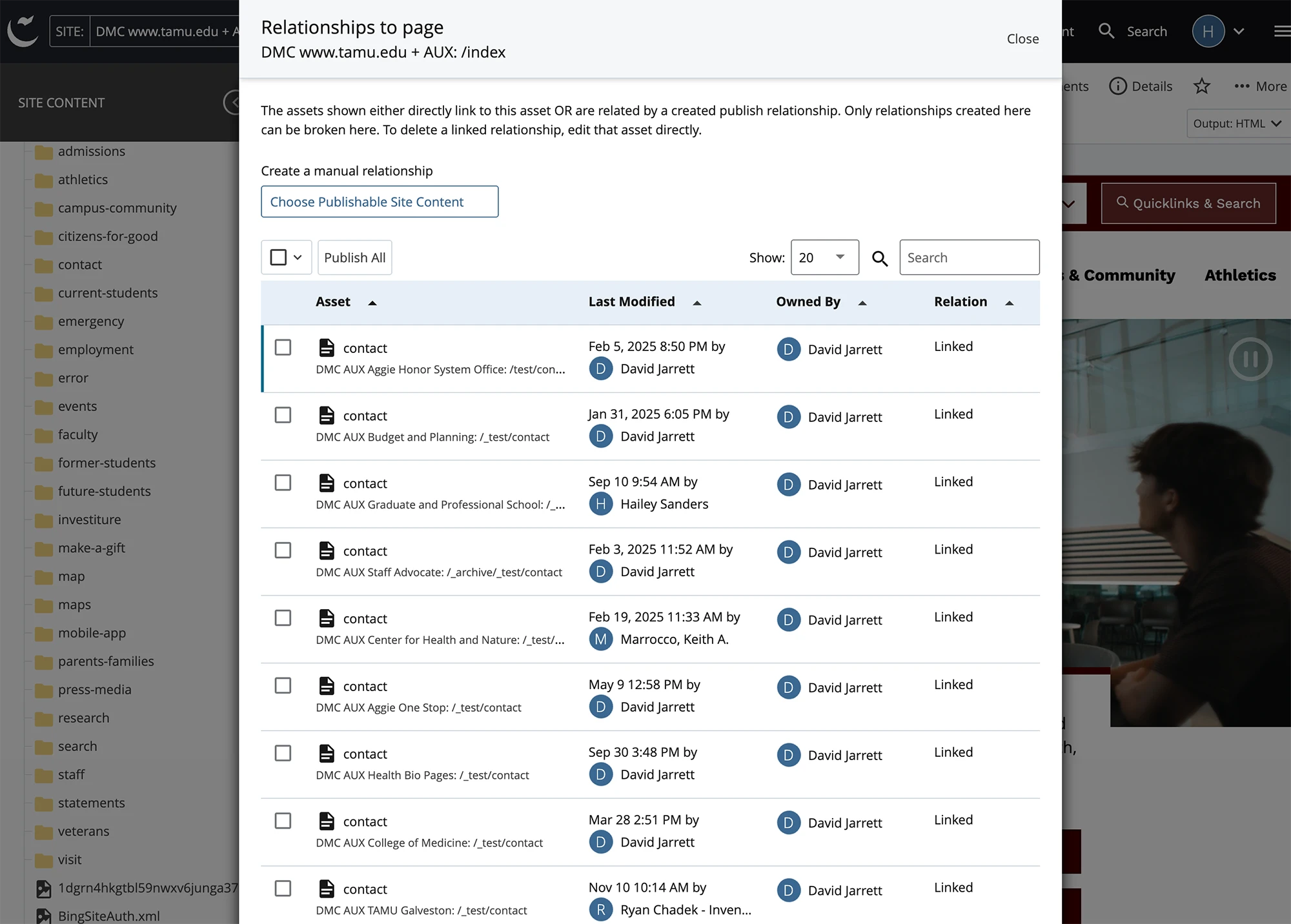
The page relationships panel shows all assets that reference the asset you are viewing in the preview pane.
Caution: All pages with relationships must be republished to prevent broken links
In order to prevent broken links on your live website, you will need to publish all pages that have a relationship to an asset when you move or rename it. One way to make sure you always republish pages with relationships when you make a change is to use workflows.