

Sidebar Menu
Learn about the sidebar menu, which provides contextual navigation within a page or within a section of a website.


In Aggie UX, the sidebar menu is displayed on the left side of the page on some interior pages. The goal of the sidebar menu is to help users navigate to pages across the website hierarchy that share a similar idea.
The sidebar menu is used to allow navigation to a page’s sibling pages and its parent page. To understand these concepts, refer to the “understanding terminology” section below.
Usage Guidance
Sidebar menus are helpful for pages that have multiple siblings, typically more than three. It’s a great way to direct users to related content, especially on deep pages that are not linked in the primary navigation.
Understanding Terminology
Much like in a nuclear family, we discuss relationships between pages by using the ideas of “parents,” “children,” and “siblings”. All pages except for a home page have a parent. Not all pages have children, and not all pages have siblings.
- Parent Page: A parent page can’t exist without children pages. In relationship to the page you are on, the parent page is up one level in the site hierarchy.
- Children: Children pages are subpages to a parent page. In relationship to the page you are on, the child page is down one level in the hierarchy.
- Siblings: Sibling pages can only exist if a parent page has more than one child page; “sibling” refers to the relationship between those two (or more) child pages. In relationship to the page you are on, a sibling page is on the same level of hierarchy and shares the same parent page.
What does this mean in practice?
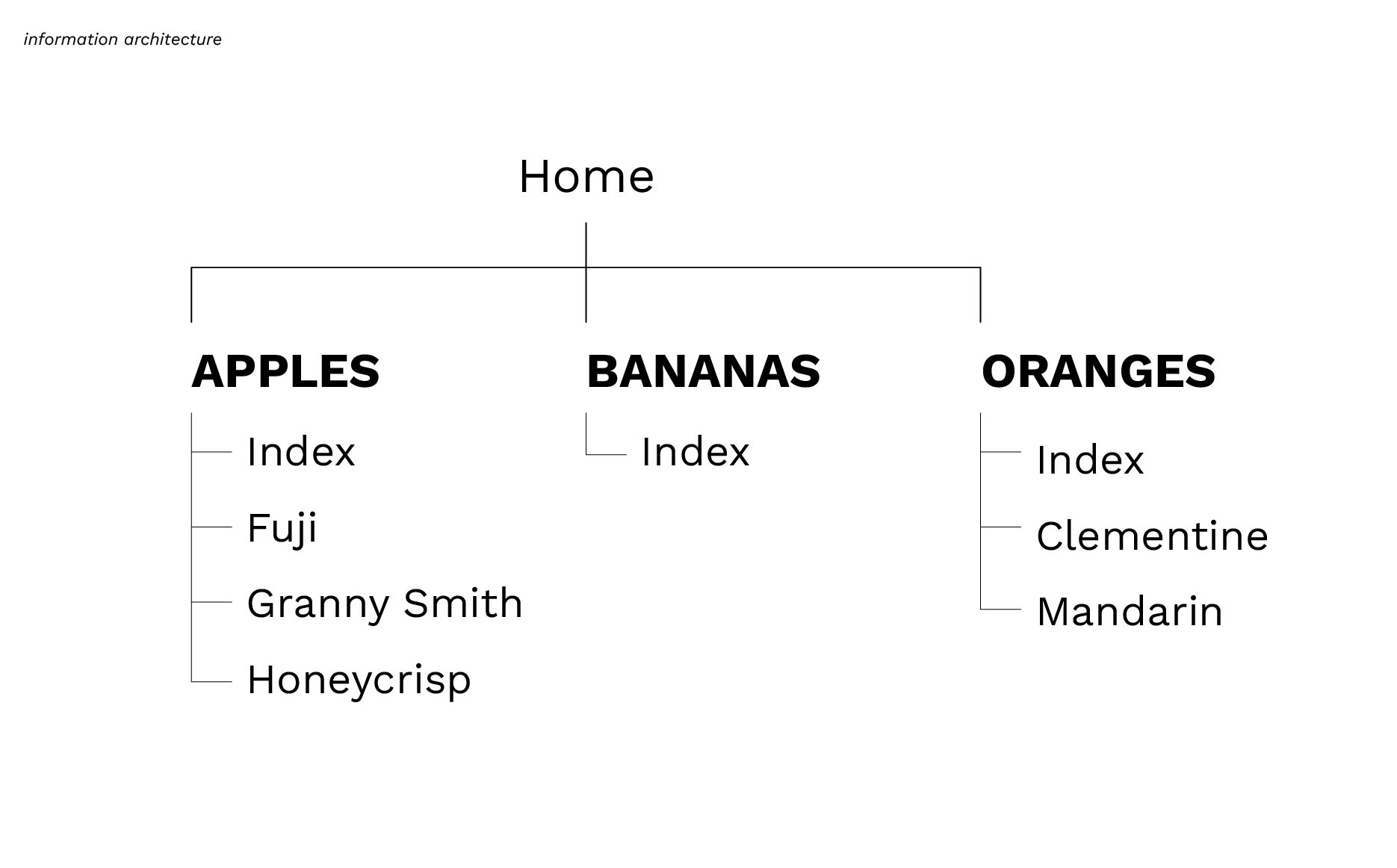
On our website in the example above, the site hierarchy (or information architecture) shows the relationships between different types of fruit. The top-level pages for this website are Apples, Bananas and Oranges; they are all child pages of the home page. Apples, Bananas, and Oranges are all siblings because they share the commonality of being a type of fruit. Some of these fruit types have subcategories, or children pages. In our example, Apples and Oranges both have children pages, while Bananas don’t. In the same way Apples, Bananas, and Oranges share the commonality of being a fruit, the pages Fuji, Granny Smith, and Honeycrisp all share the commonality of being Apples. These pages are children pages to the parent page Apples and siblings to each other.
The sidebar menu should always display a link back to its parent page and show any sibling pages. This means you should not use this menu on the home page of a website.
The sidebar menu should not show the children pages of the page you are currently on. Refer to the examples below to visualize this idea.
Examples
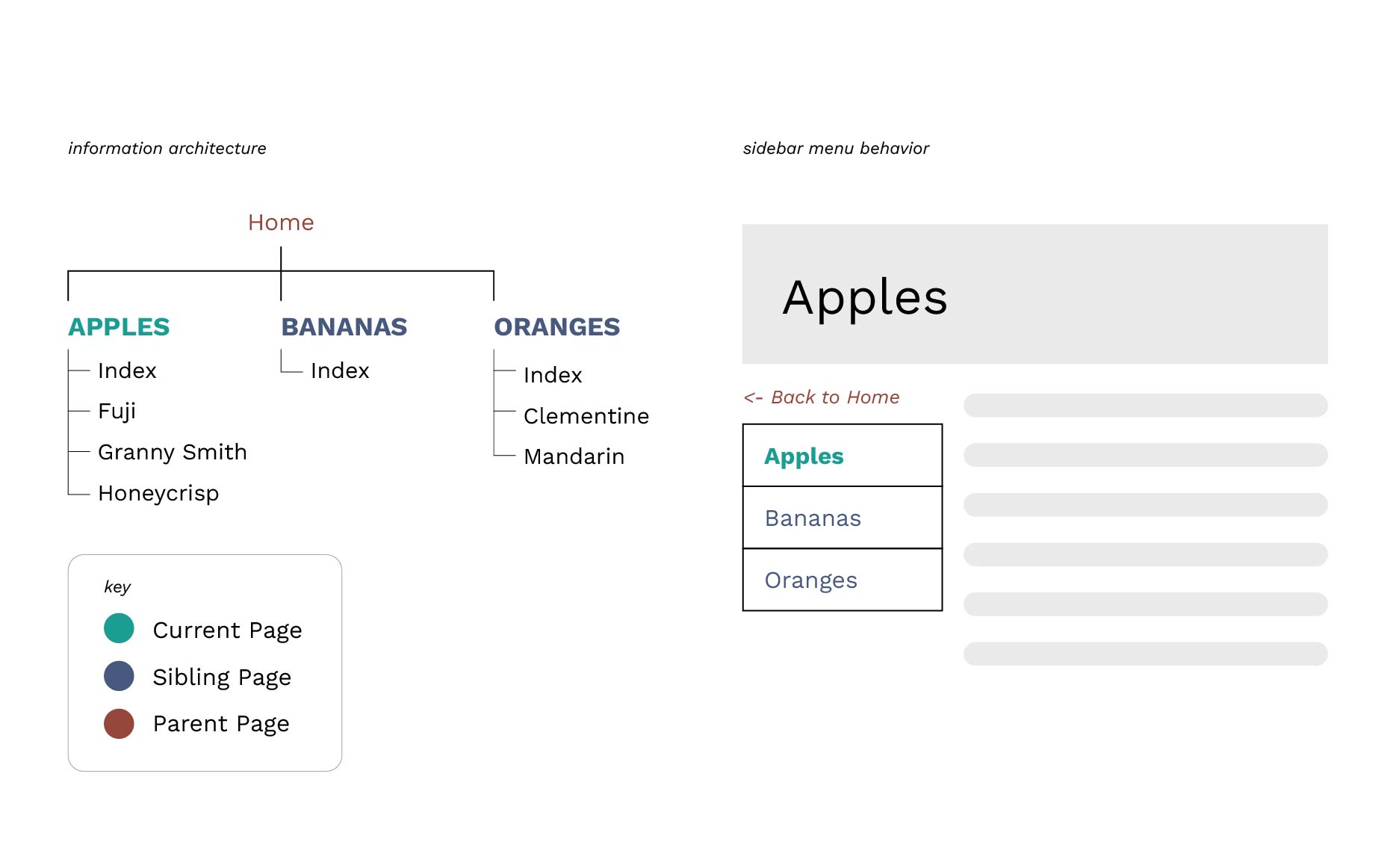
In the above example, you are viewing the “Apples” page. Its parent page is “Home”, and its sibling pages are “Bananas” and “Oranges”.
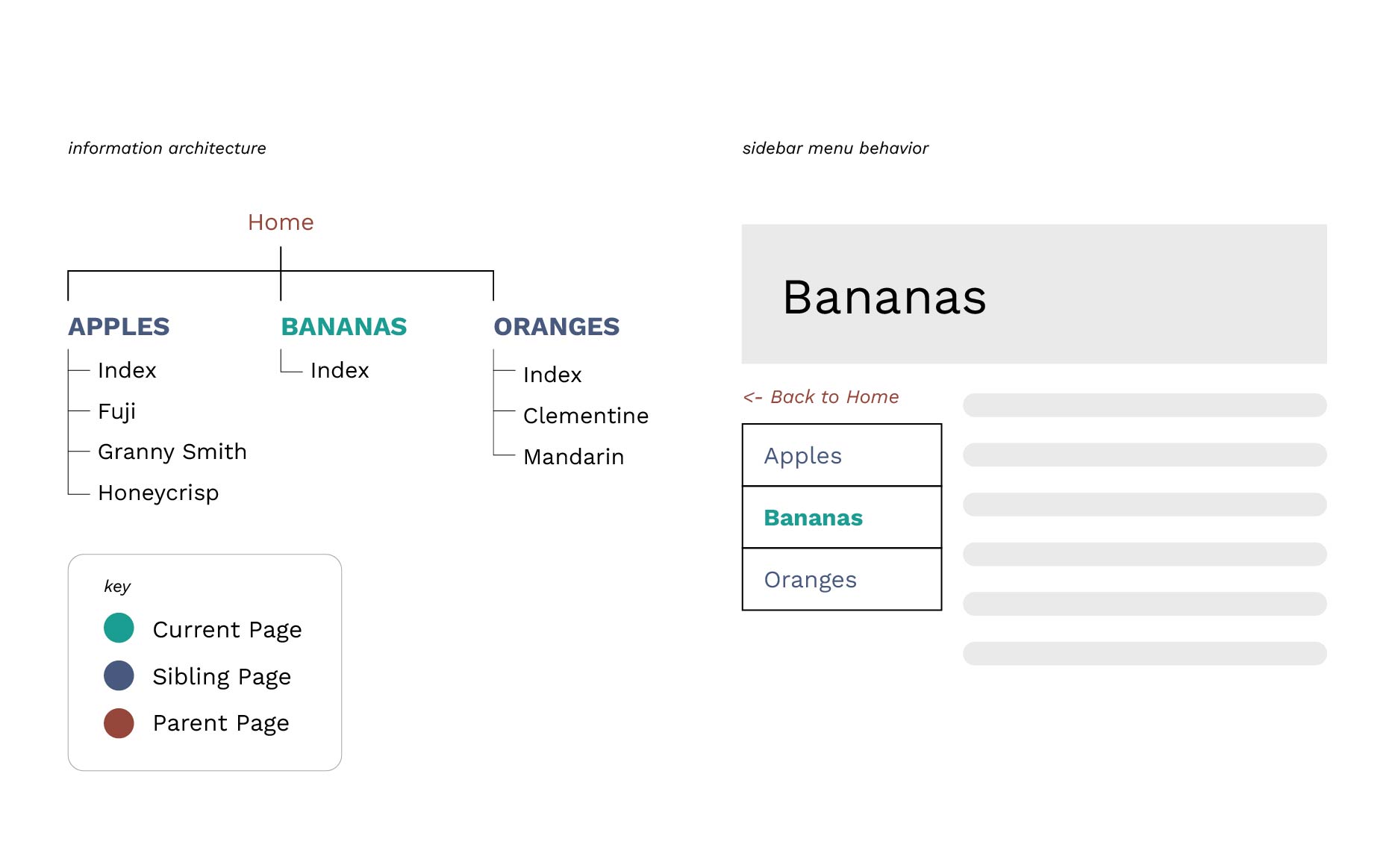
In the above example, you are viewing the “Bananas” page. Its parent page is “Home”, and its sibling pages are “Apples” and “Oranges”.
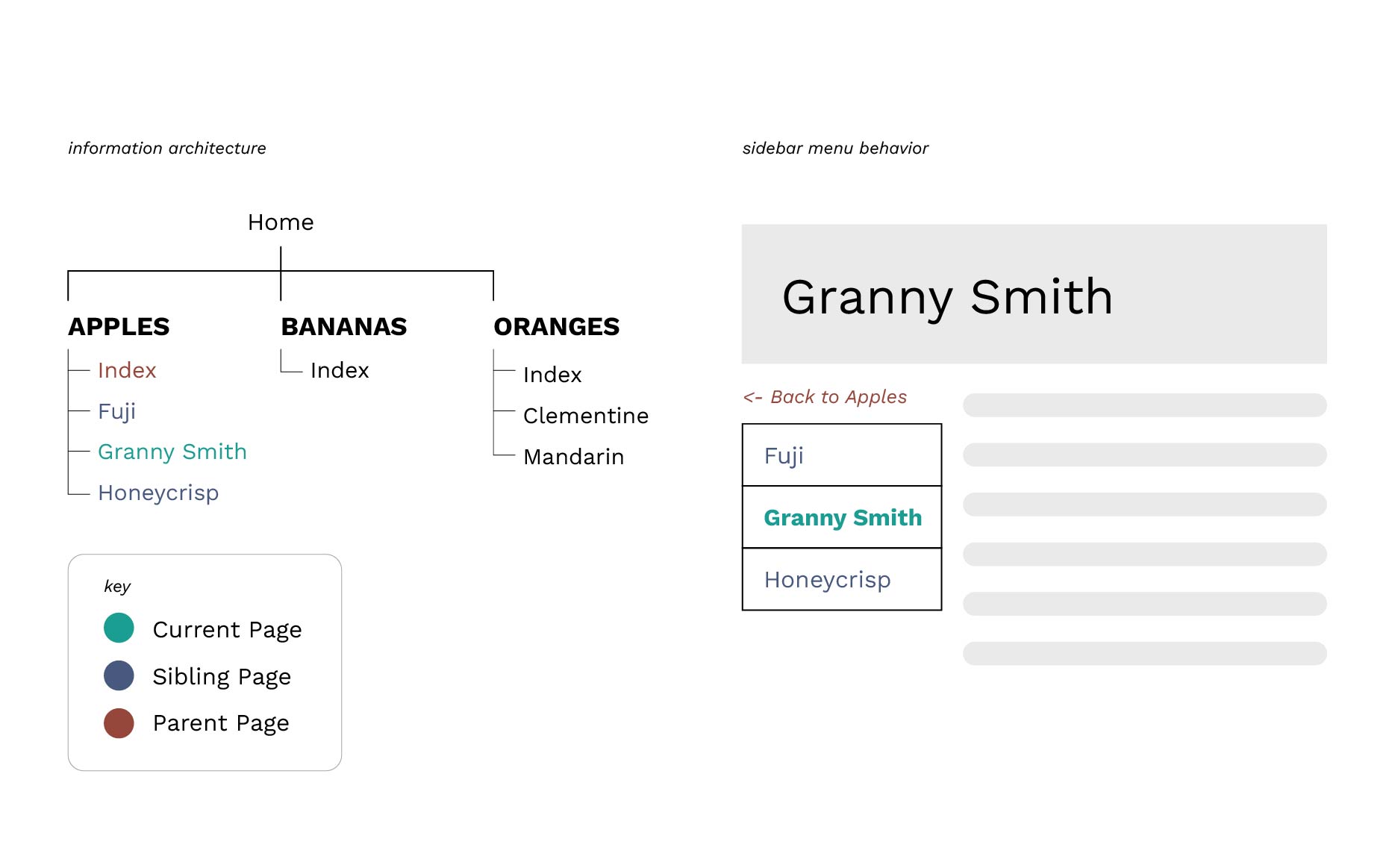
In the above example, you are viewing the “Granny Smith” page. Its parent page is “Apples”, and its sibling pages are “Fuji” and “Honeycrisp”.
Keep Learning
Learn about Other Navigation Components in Aggie UX 101 Module 7 Chapter 13.