

Information Architecture
Learn about how websites are organized and get tips specific for Texas A&M websites.

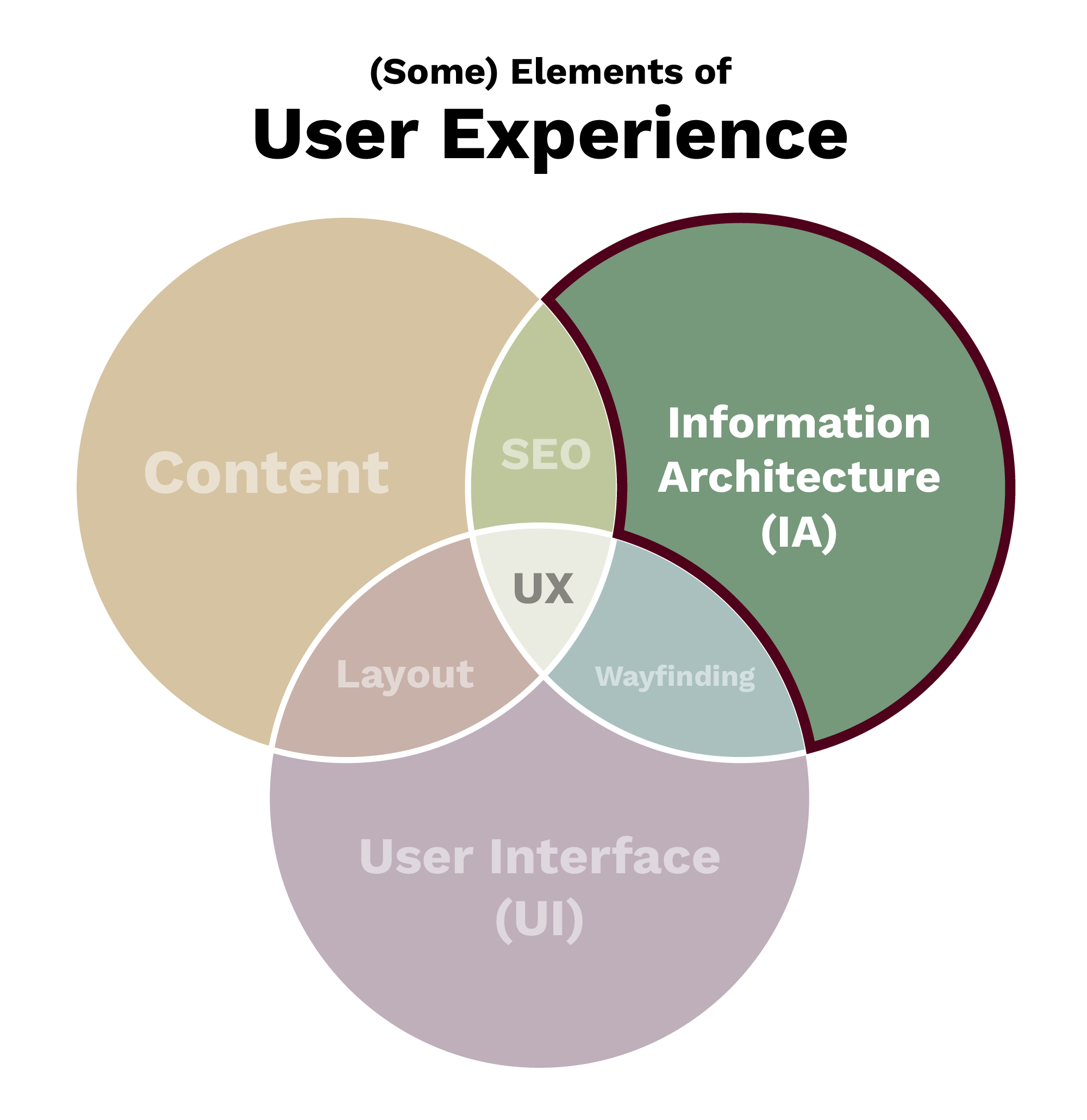
Information architecture (IA) refers to the way information (or content) is organized within a website. Information architecture also informs navigation labels that are critical for wayfinding.
Nielsen Norman Group defines information architecture as having two main components:
- The identification and definition of site content and functionality
- The underlying organization, structure and nomenclature that define the relationships between a site’s content/functionality
Learn more about the difference between information architecture (IA) and navigation. from Nielsen Norman Group.
Effective website information architecture:
- Uses clear, logical labels and page names
- Follows established web patterns
- Nests pages logically
- Matches (or nearly matches) a site’s navigation
Visualizing Information Architecture
Information architecture is documented in spreadsheets and diagrams, often called sitemaps. These are distinctly different from the wireframes, comprehensive compositions (known as comps) or prototypes used to visualize a page layout.
When documenting your site’s information architecture, you are effectively:
- Listing all of the pages that will be included on a website
- Recording each page’s relationship to other pages on the site
The following is an example of a site map diagram for a college website:
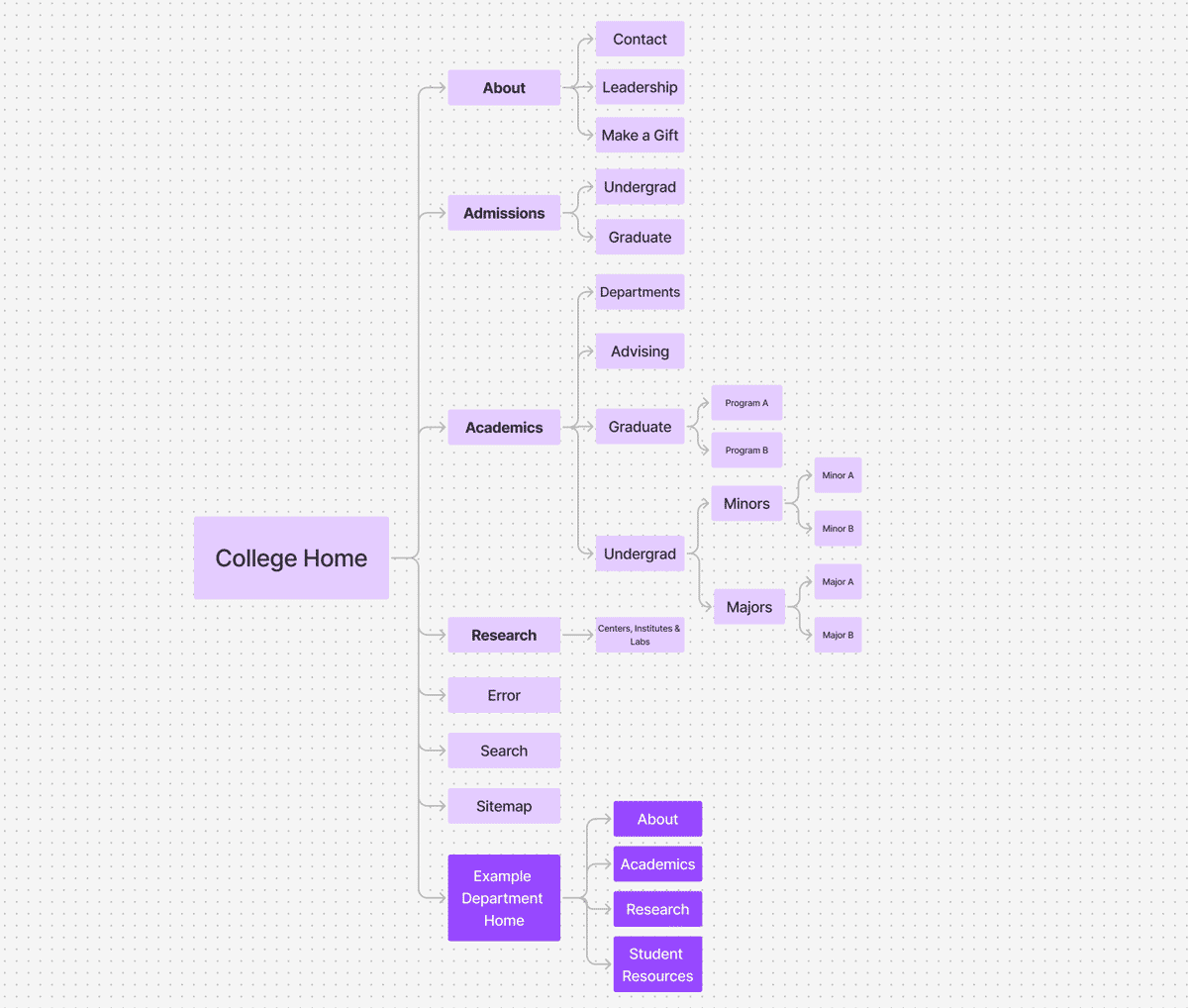
Example of a site map diagram for a college website.
Credit: Texas A&M University Division of Marketing and Communications
Recommendations for Texas A&M Websites
For all Texas A&M websites, we recommend having the following pages:
- Home: The default page on your website, your home page should provide high-level information about your unit or program and provide previews of important content throughout your site.
- About: This is often a landing page that links off to subpages for more information, such as contact pages, history, or other similar content.
- Contact: Normally nested beneath “About,” this page should clearly provide contact details for your unit(s). This is very helpful for search engine optimization.
- Error: Also known as a 404 page, this is what users will see when they click on broken links on your site. Your error page gives you an opportunity to link to commonly used pages to help your user get back on track.
- Search: On-site search is a commonly used navigation tool on websites.
For academic-oriented websites, we recommend having the following pages:
- Admissions: The admissions page should give high-level information about what is required for admission to a given college, school or program. We recommend linking to admissions.tamu.edu for information that is true for all Texas A&M students and listing specifics to your college/school/program on your own site. Sometimes this may mean having two subpages: one for undergraduate admissions and another for graduate admissions.
- Academics: Often a landing page, the academics page should give an overview of the academic opportunities available and link off to subpages for more information. Key subpages may include:
- Departments
- Academic Advising
- Graduate programs
- Undergraduate programs
- Research: Often a landing page, the research page is your opportunity to demonstrate the breadth of your college/school/program’s research interests, opportunities and facilities. We recommend using subpages for going into depth about specific research areas.
A few other common page needs include:
- Directory: A directory is a way to look up information about people who work for a specific unit. We recommend using the label “Directory” versus something more vague like “People.”
- Student Resources: “Student Resources” is a helpful label for identifying information that is relevant for current students.
- Student Experience: “Student Experience” is a helpful way to label information about what it’s like to be a student, either from an academic perspective or as a way to talk about living options, student organizations and more.
- Outreach: “Outreach” is a common way in academia to refer to a broad set of activities that may involve sharing information or resources beyond a traditional academic setting. If these types of activities are essential to your unit, we recommend using the label “Outreach” for this content. Sometimes you may even combine this with your research page to create a “Research and Outreach” landing page.